8 Image SEO Best Practices to Make Your Content More Discoverable


![→ Download Now: SEO Starter Pack [Free Kit]](https://no-cache.hubspot.com/cta/default/53/1d7211ac-7b1b-4405-b940-54b8acedb26e.png)
To consider the importance of visual search in 2021, let’s start with an example.
The other day, I Googled “how to conduct a vlookup in Excel”. I skimmed a few articles but still felt dissatisfied — I didn’t want to read about vlookups, I wanted to see it.
Enter: The power of images.
Once I clicked on “Images”, I found what I needed quickly:
I know I’m not alone. In fact, nowadays, half of all Google searches end on the search results page, without the user clicking through to any results.
In 2021 and beyond, it’s critical marketers begin paying attention to the importance of visual images as a powerful opportunity to reach new audiences on the SERPs.
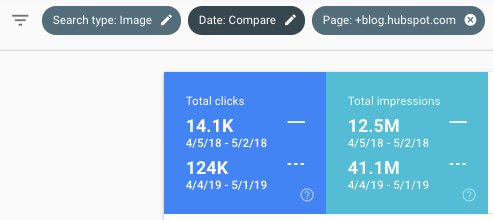
Plus, as HubSpot’s Marketing Manager Kristen Baker told me, “After running an image experiment on the HubSpot Blog, I discovered that ranking in Google’s image packs increases impressions and clicks to our content.”
But … easier said than done, right?
Here, let’s explore what image SEO is, and the best practices you’ll want to follow to make your webpages more discoverable in image search results.
Image SEO Best Practices
1. Use relevant, accurate alt text for user accessibility and SEO.
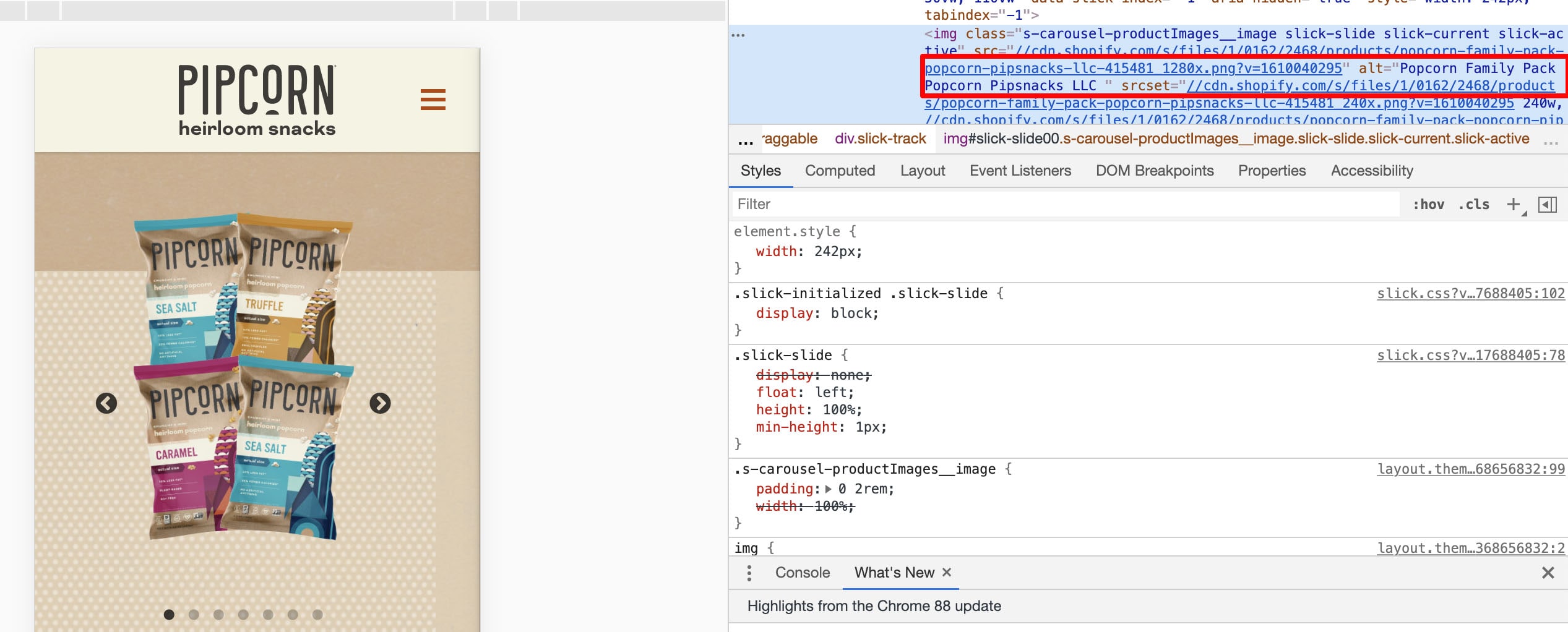
As a quick refresher: Alt text is written copy that describes an image. For instance, if you click on Pipcorn’s popcorn product and inspect the page, you’ll see the alt text describes the product image accurately as “Popcorn Family Pack Popcorn Pipsnacks LLC”:
Alt-text plays two critical roles in SEO.
First, alt text — also known as alt tags, or alt descriptions — helps search engine crawlers index your website more effectively, which has a positive effect on search results.
In fact, Google states on its Developers page, “You can aid in the discovery process by making sure that your images and your site are optimized for Google Images … [and] increase the likelihood that your content will appear in Google Images search results.”
Second, alt text improves the user experience. Alt text can describe an image to a visually impaired reader, and also helps if a reader can’t load or see the image correctly on their device.
To get a full run-down of how to write high-quality alt text, take a look at Image Alt Text: What It Is, How to Write It, and Why It Matters to SEO.
2. Consider using captions to describe an image.
Captions aren’t typically necessary if the context of the page can help readers understand what the image is depicting — for instance, in this blog post I haven’t used any captions because I’ve used text to introduce each image I’ve shown.
However, if you have a visual-heavy website, consider using captions to help readers understand an image in context. For instance, on Tom Hull’s photography portfolio, he captions his images so viewers …read more
Source:: HubSpot Blog