What is Google Currents? Overview, Alternatives, and Features

By Neil Patel

You’d be forgiven for not knowing anything about Google’s latest Workspace app, Google Currents. The search company has hardly gone to great lengths to advertise their new offering or explain how it can help your business.
In this post, we’ll cover precisely what Google Currents is, what you can do with it and whether you should use it within your organization.
Ready to get current on Currents? Then let’s dive in.
What Is Google Currents?
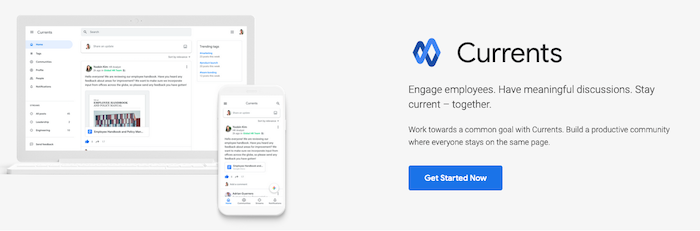
Google Currents is the search company’s new company-based social networking tool that’s within the Google Workspace suite of tools. According to Google:
Currents is a G Suite app that enables people to have meaningful discussions and interactions across your organization, helping keep everyone in the know and giving leaders the opportunity to connect with their employees.
In a further statement, the company said:
Currents lets you create an online community where you can safely share team updates, new ideas, and common interests in real-time.
It is an updated version of the now-defunct social media platform Google+. The platform has been slightly redesigned and streamlined to make it faster and easier to post content.
It’s no longer a social media platform, either. Instead, it’s an enterprise-level communication tool similar in scope to Slack that aims to improve communication and collaboration within teams. Users can create and comment on discussions that can be seen by everyone or a select number of users. Every discussion can be seen in a user’s feed, which they can rank by relevance or chronologically.
It’s the second time an app has been named Google Currents. The name was previously used for a magazine app that eventually became Google Play Newsstand and then later Google News.
How Does Google Currents Work?
Google Currents is a fairly intuitive platform. Just in case you aren’t sure if it’s worth it for your team, here’s everything you need to know about how the platform works before you get started.
Create and Share Posts
Posts are the foundation of Google Currents. They are how you share information and collaborate with your colleagues.
You can choose who sees posts by selecting to share posts with specific communities or people. Anyone who follows you and has permission to view your post will see it in their stream. Posts will also show on your profile.
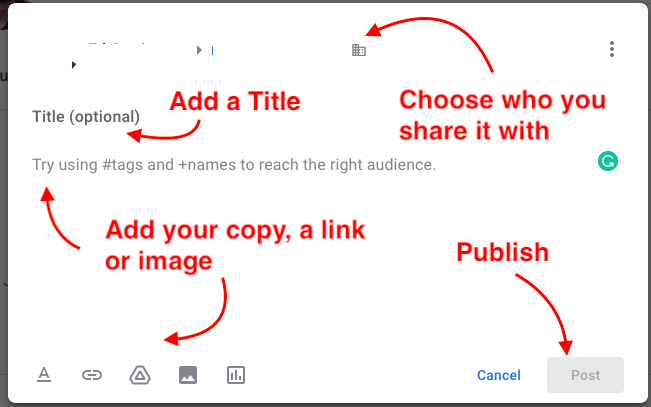
Click on the “+” button in the bottom right-hand corner of your profile page to create a post. Give your post a title, then add your copy. You can use the icons at the bottom to add a link or an image. Choose which communities or people to share your post with, then hit “Post” to publish.
You can share someone else’s post by clicking the Share icon next to the post. If you don’t see a Share icon, then the user has either …read more
Source:: Kiss Metrics Blog